Split bill app · Scan the receipt, split by item
Stop splitting billsin spreadsheets.
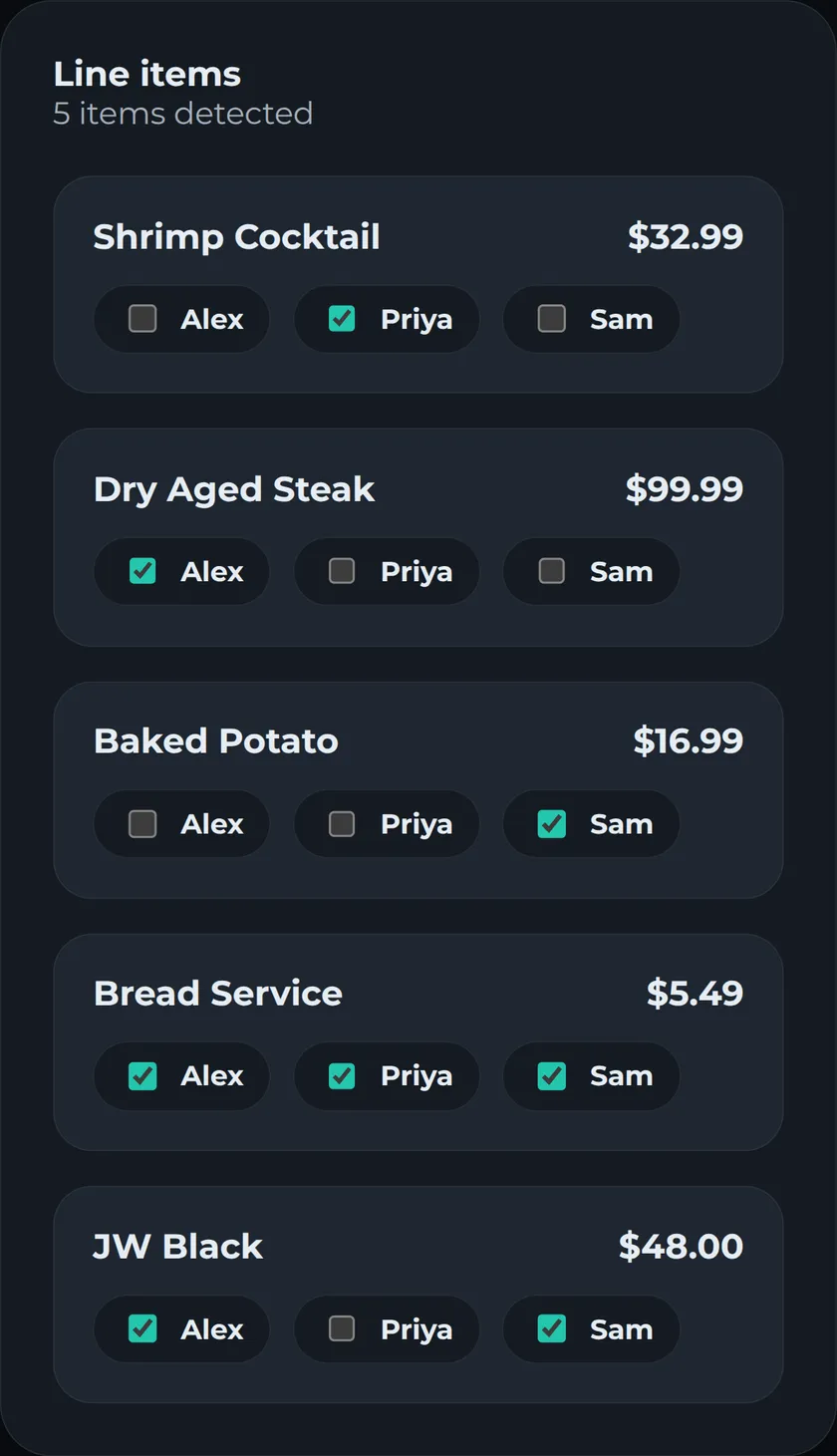
Point your camera at a receipt, or drop in a screenshot, and PayMate's AI reads every line item in seconds. Then split it fairly: equally, by item, or custom, on your own or with a group.
- 1ScanSnap a photo. AI reads every line item and price.
- 2AssignTap to hand each item to whoever ordered it.
- 3ShareEveryone gets a clean total - tax and tip split fairly.
More than a one-off split
Groups
One group per flat, trip or dinner crew. Invite people by email, and every receipt adds to the group's running balances.
Settle-ups
Record a payback the way it happened - cash, Venmo, Zelle, PayPal or bank transfer - with a note. PayMate never moves money.
Fair to the cent
Tax and tip follow what each person ordered, and leftover cents are shared out, so every total adds up to the bill.
Splitwise import
Bring a group over from its Splitwise CSV export. Every expense and payment comes with it, and the balances match.
One currency per group
Set a group's currency once. Totals never mix dollars and euros, and your profile sets the default for new groups.
PDF summary
Download a clean breakdown of any split - every item, who had it, and each total - to share with the table.
Questions, before you split
Is PayMate free?
Yes. Every account includes 30 receipt scans, and groups, splits and settle-ups are free to use. Need more scans? Email db@paymate.dev.
How does PayMate read my receipt?
Take a photo or upload a PDF, and AI reads every line item plus the tax, tip and any discounts or fees. You can check and edit everything before you split, and PayMate tells you if the items don't add up to the receipt's subtotal.
How are tax and tip split?
In proportion to what each person ordered. If your items were 30% of the subtotal, you pay 30% of the tax and 30% of the tip. Leftover cents are shared out so the totals add up to the bill exactly.
Can I split with the same friends over time?
Yes. Create a group for your flat, a trip or a regular dinner and invite people by email. Every receipt updates the group's running balances, so you can see who owes whom at a glance.
Does PayMate send or hold money?
No, PayMate never moves money. When someone pays you back by cash, Venmo, Zelle, PayPal or bank transfer, you record it as a settle-up and the balances update.
Can I bring my Splitwise group over?
Yes. Export the group from Splitwise as a CSV and import it into a new PayMate group. Every expense and payment comes over, and the balances match.
Want to see the math first? Try the split bill calculator, or read how to split tax and tip fairly.
Your next split takes five minutes, not fifteen.
Split your first receipt